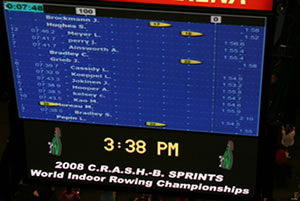
ErgRace is our latest race software. Although we will continue to support Venue Race through to 2020, we recommend using ErgRace if possible.
The Venue Race Application (VRA) allows you to connect two or more indoor rowers with PM3s, PM4s or PM5s for racing. Indoor rowers can be linked using USB hubs and cables or PM4s or PM5s can also use ethernet cables. This program is designed to meet the needs of venue races, such as the World Rowing Indoor Championships.
The Venue Race Application has several methods of communicating with Performance Monitors:
- USB—For up to 20 ergs attached to a PC
- Wired RS485—For up to 40 ergs attached to a PC
The latest version is Version 3.64. We recommended upgrading to this version for anyone who wants to use PM5s for racing. Required firmware for PM5 is version 17 or above.
Compatibility
The current version of the Venue Race Application is compatible with Windows 7, 8.1 and 10 (see below). Concept2 has not tested and is not supporting Windows 8. Concept2 recommends using Windows 7.
Note: Before using this application for a live race, please test every feature on the system you plan to use and report any problems to rowing@concept2.com.
We recommend that during a race you disable or remove any power saving measures, including screensavers. We also recommend turning off any anti-virus software and placing your computer in 'airplane mode' where possible.
Windows 7, 8.1 and 10 Information
If you plan to use the Venue Race Application on Windows 7 or later, we recommend taking the following steps after installing the VRA software:
- On your computer desktop, right-click the VRA shortcut icon.
- Click Properties.
- Click the Compatibility tab at the top of the page.
- Select Disable desktop composition.
- Click OK.
Recommended Firmware
Concept2 recommends that Performance Monitors in use with the Venue Race Application run the latest firmware versions available.
Venue Racing and Terminators
Additional Information
- When do I need a terminator?
-
Whether or not you need a terminator when using PM4s and/or PM5s connected with Ethernet (RJ45) cables depends on the number of indoor rowers/SkiErgs you are attaching to a single Windows computer:
- 2–12 indoor rowers/SkiErgs: Not generally needed, but it doesn't hurt to use them.
- 13–24 indoor rowers/SkiErgs: Optional but generally recommended.
- 25–32 indoor rowers/SkiErgs: Very highly recommended.
- 33 (Including the “Master”) or more: Mandatory.
- How do I know if they’re helping?
- After setting up your race system, click the More Status checkbox. A window containing numbers will be displayed. If the Errors or Failures columns have more than a few errors, you might have problems with your cables or need terminators. If these columns are all zeros or just a few errors, it’s probably ok. When you’re done reviewing this information, close this window, especially while racing.
- How do I attach them?
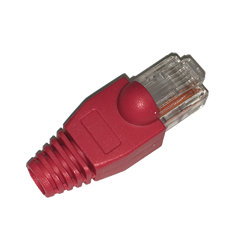
- The PM4s and PM5s connect together with RJ45 Ethernet patch cables, but there will be an empty jack at each end. Insert the terminators in these jacks.
- Where do I get terminators?
-
- You can purchase them from Concept2 (part number 1482).
- You can make your own.
- What if I lost one so I only have one to use?
- It’s probably better to have one than none. Try it. If you think it’s making things worse, remove it.
- I’m using terminators but nothing is working!
- Sometimes, a terminator is bad. If you are using terminators and it’s going terribly, try removing one or both of them. If things improve, maybe the terminator is causing the problem. It’s rare, but it does happen.
- Other tips
-
- Keep cables as short as is convenient for your wired setup; however, running a longer Ethernet cable is better than trying to extend USB cables for the master PM5.
- Try not to run the Ethernet cables alongside power cables for projectors and the like.
- Keep laptop and other power ‘bricks’ away from the USB and Ethernet cables.
Venue Race Application 3.65
.exe format
9.7 MB