

Email: [email protected]Phone: 800.245.5676
ErgData Feature: Workouts on the Real Time Loop
Oct 21, 2026
Share

Since 2023 the Real Time Loop has been a way to connect with other Concept2 users from all over the world via the ErgData App. Whether it's rowing, skiing, or riding, users have logged millions of meters with friends and strangers alike along the Real Time Loop course.
Concept2 is excited to announce that the Real Time Loop now supports all available ErgData workouts, allowing users to train together in ways that match their individual goals. Whether it's 500m repeats, a 2K test, or the WOD, athletes can now share the experience with others around the world, even across different time zones.
What's New on the Real Time Loop
Concept2's ErgData app now offers all available workout types on the Real Time Loop. That includes:
- Single Distance
- Single Time
- Single Calorie
- Constant Intervals
- Variable Intervals
- WOD
- Favorited Workouts
- Recent Workouts
To use this new feature, you just need a Concept2 RowErg, SkiErg, or BikeErg with Performance Monitor 5 (PM5) and ErgData. From there:
- Open ErgData, connect to your Erg and program your workout as you would do normally.
- Once the workout is programmed, you’ll see a toggle that says “Start on Loop” on the bottom of the screen above the “Ready” button. Slide this toggle.
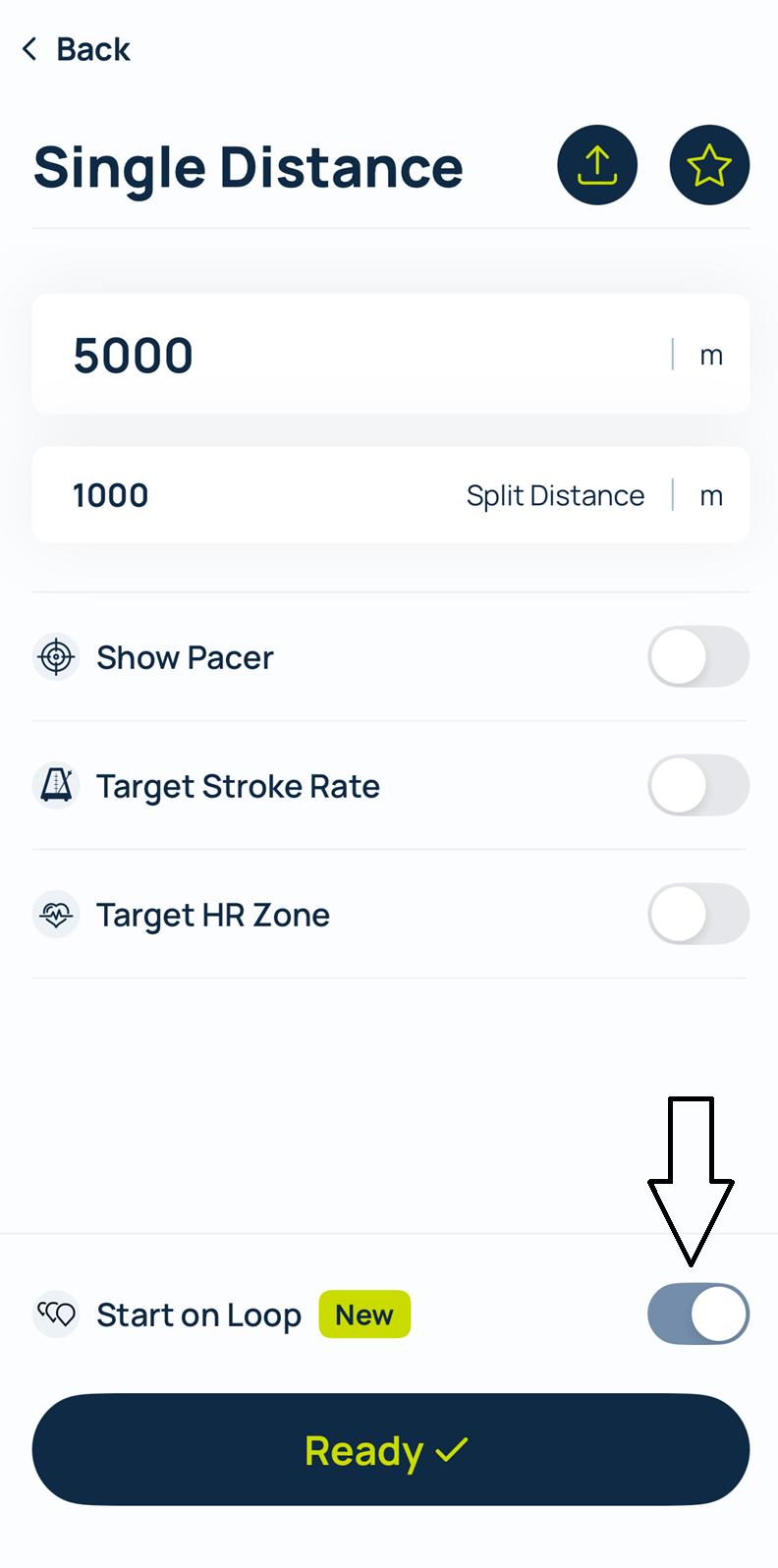
3. Hit the “Ready” button and your workout will be ready to go on the Real Time Loop.
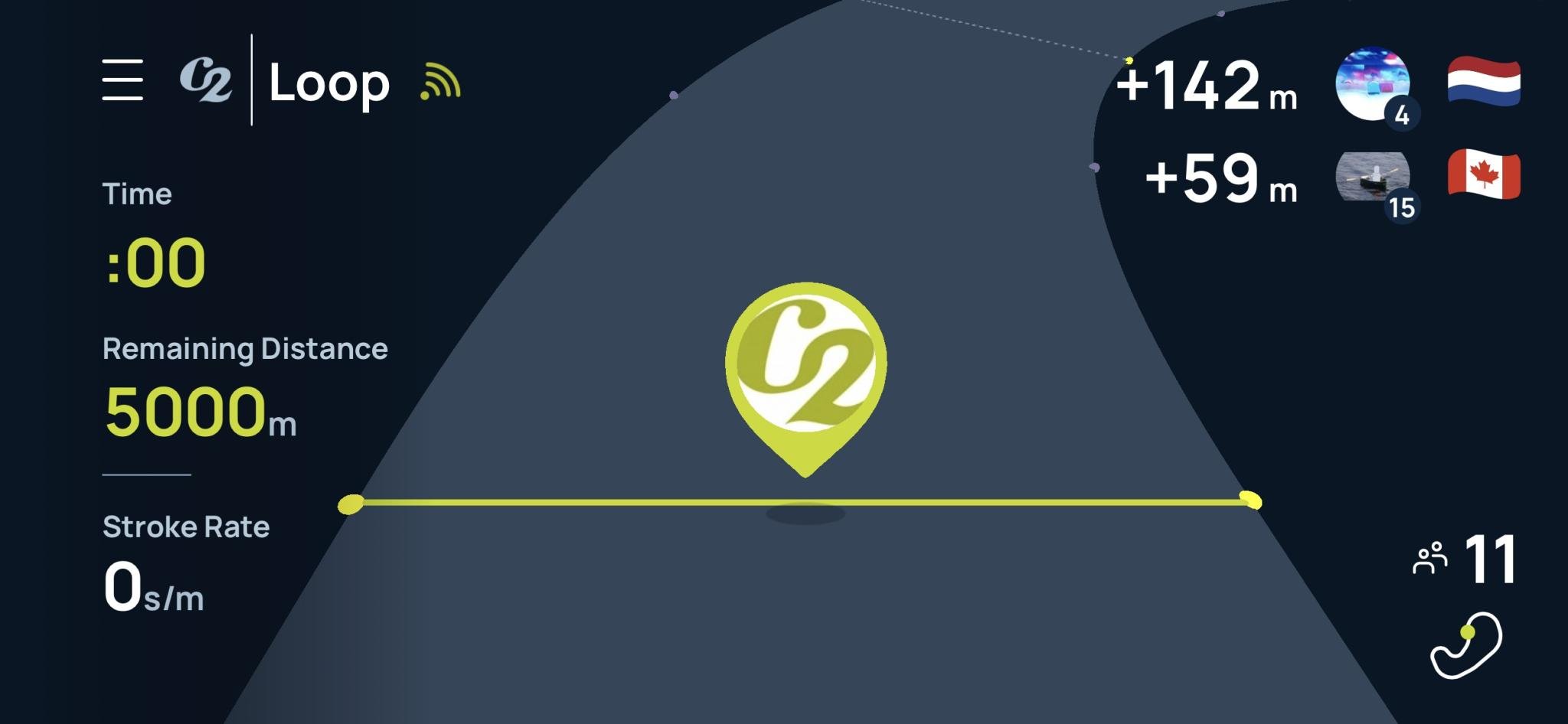
In the Loop, you'll see similar metrics as before including pace, distance, duration, average pace, and stroke rate.
Depending on your workout, you can also now program pacers on the Real Time Loop for:
- Pace
- Watts
- Cal/Hr
An avatar will appear on the start line with you for your desired pace.
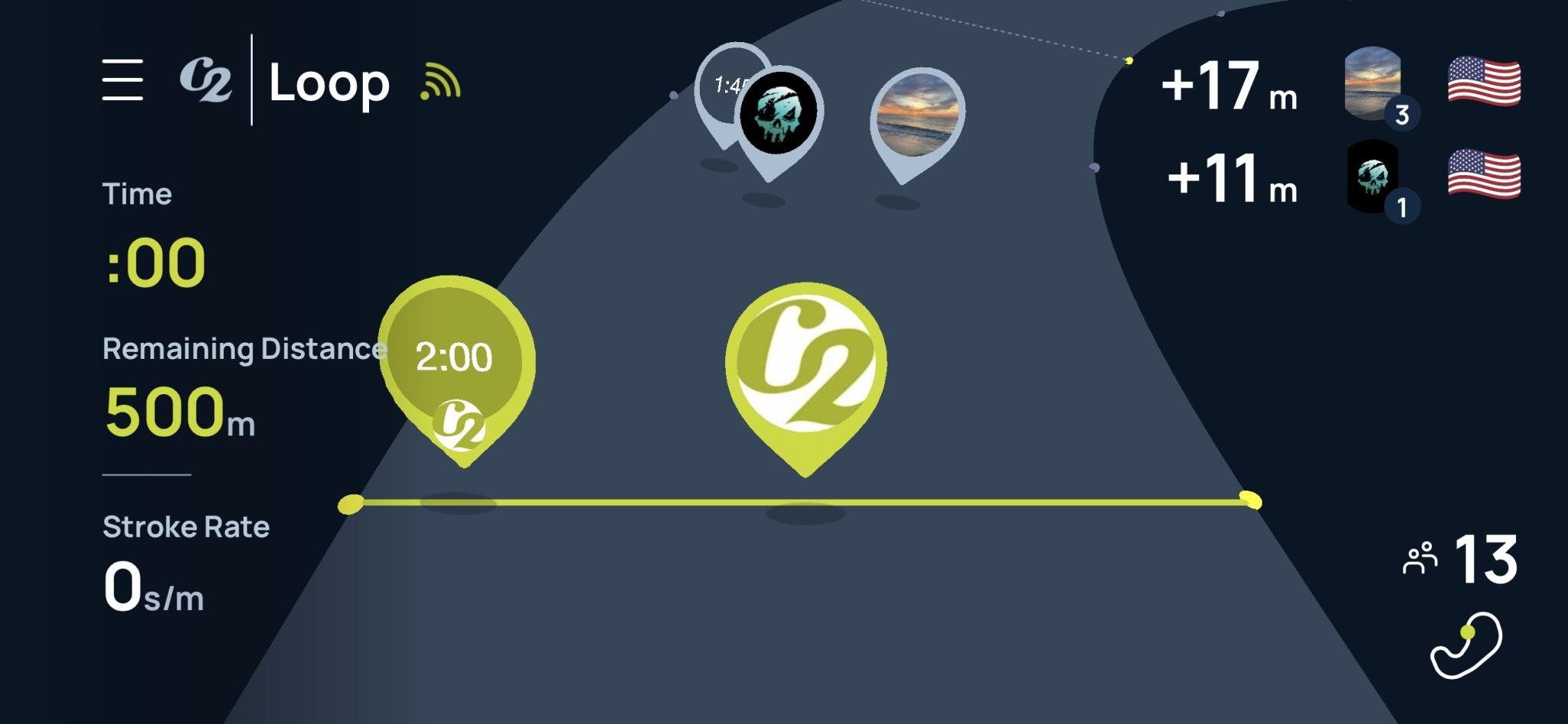
With the Real Time Loop, you can now also share and receive past workouts from friends, training partners, coaches, athletes, or even yourself and row, ski and ride alongside them on the Real Time Loop. This is how it works:
- Find the workout you want to share, or receive the workout link from your friend. *Note, the workout being shared or received must have initially been performed on the Real Time Loop for it to be programmed on the Loop.
Share the workout to the desired recipient, or accept the workout you would like to perform. Tap the Repeat button in the top right corner of the screen.
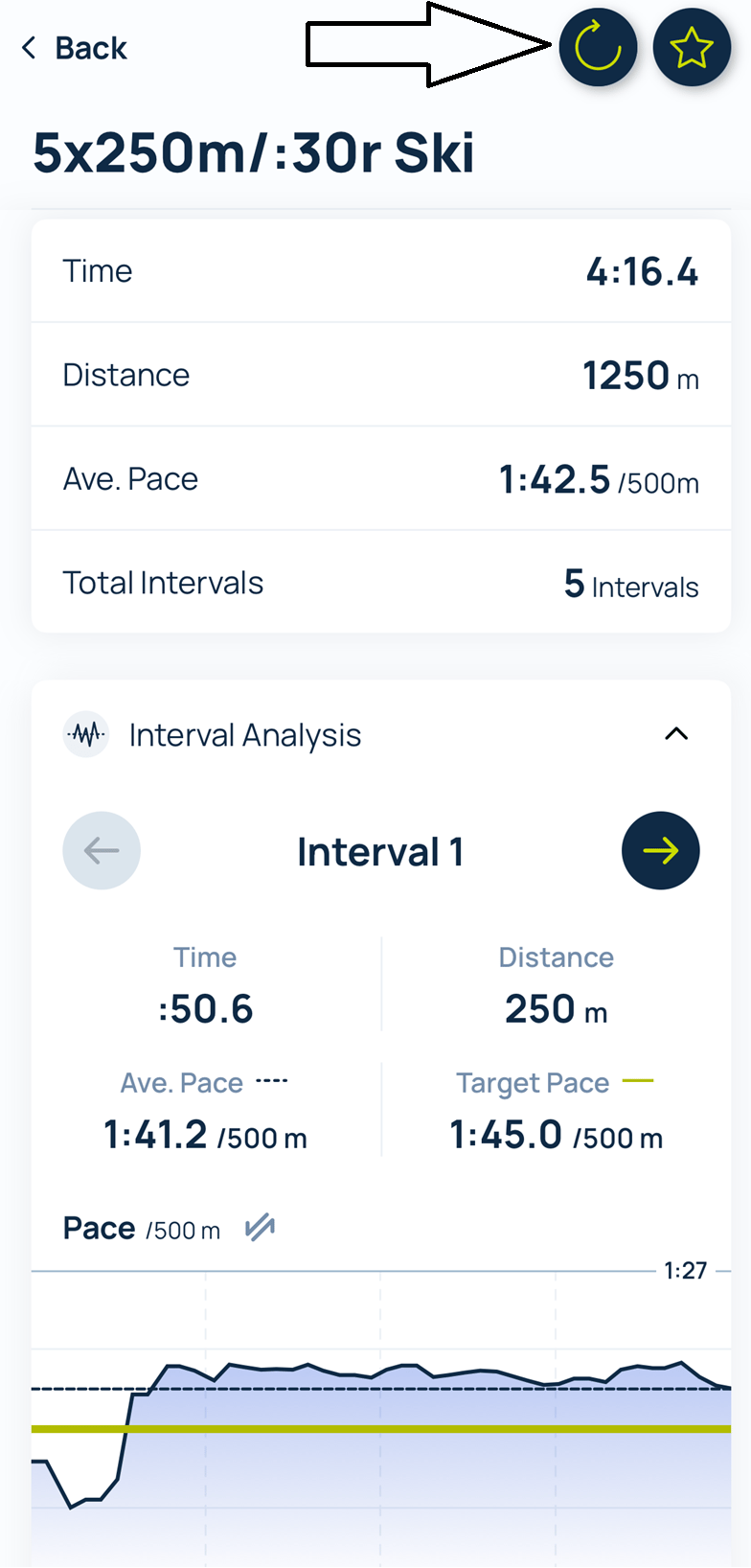
3. Connect with your Erg of choice if you have not done so. The workout will now be programmed and ready to start on the Real Time Loop.
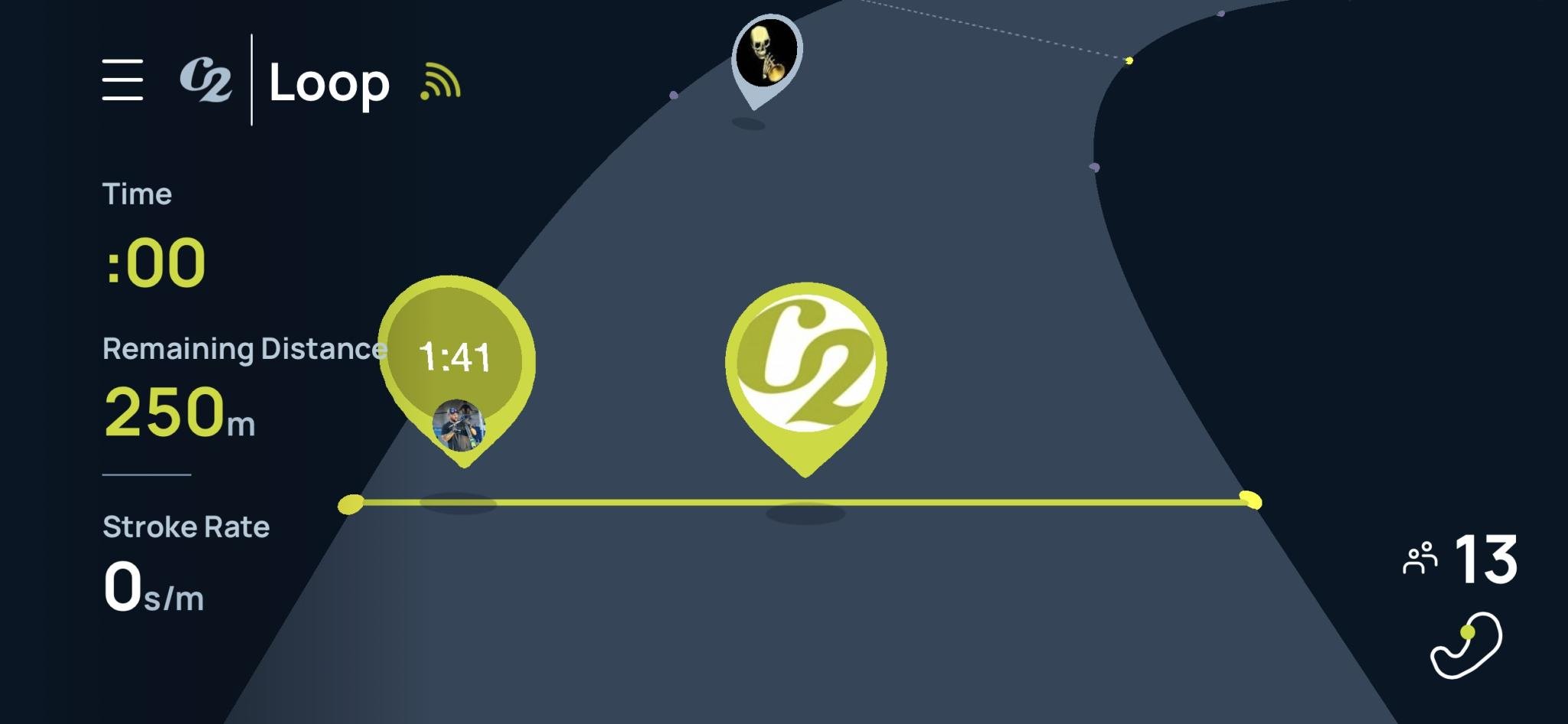
A pace boat representing the sharer will appear on the start line next to you on the Real Time Loop displaying their Logbook avatar and their pace. As you begin the workout, the pacer will move alongside you at the pace achieved by the person who performed the workout before. If you are faster than the avatar, you will be ahead of it. If you are slower, you will be behind it.
If you are performing distance, time, or calorie intervals, the competitor’s pacer will reappear next to you to start fresh when the next interval begins.
FAQ About Updates to the Real Time Lopp on ErgData
What ErgData version do I need to do workouts on the Real Time Loop?
Version 2.17.0, which was released starting on October 19th, 2026 for all Android and iPhone users. This is being rolled out to all users incrementally and will be available to all devices over the several days follower the release.
I want to complete a workout on the Real Time Loop that was shared to me from a coach but it was not performed on the Real Time Loop. Can I still do the shared workout on the Real Time Loop?
No, the shared workout will automatically program as a normal workout on ErgData, and will not be able to be performed on the Real Time Loop. Only workouts toggled or performed on the Real Time Loop are able to be replicated on the Real Time Loop.
How do I program a workout to be done on the Real Time Loop?
Simply create a new workout using the usual Create Workout flow. Make sure to enable the “Start On Loop” toggle before starting the workout. This can also be done for workouts in the Favorites and Recents lists before beginning.
What types of workouts are able to be completed on the Real Time Loop?
You can do the following workouts on the Real Time Loop in ErgData now: Fixed Distance, Fixed Calories, Fixed Time, Variable Intervals, Fixed Intervals.
Can I create a workout from within the loop?
Yes, you can create a workout while already in the loop! If you’re in the loop warming up, tap the hamburger menu, select ‘Create Workout’, and configure the new workout that you wish to do. The first portion of your warm-up will be saved to your Logbook as a Just Row/Ride/Ski workout.
Can I cool down after completing a workout on the loop?
Yes! When your workout is complete, you will see a summary of your workout. When you dismiss the summary, a new Just Row/Ride/Ski workout will automatically begin, and you can simply keep moving as if you never left! Your workout results will be logged to your logbook automatically in the background.
How are intervals paced and shown for a shared workouts on the Real Time Loop?
Each interval is paced independently based on the performance for that specific interval that was shared in the workout. At the start of every interval, the avatar restarts the loop with you and matches the pace it achieved in that interval for the workout shared. For example, during interval 3, the pacer will be set to it’s pace from their interval 3 from the workout that was shared.
Can I complete Concept2 Challenges on the loop?
Yes, you can complete workouts towards a total for ongoing challenges, or complete exact domain challenges like the BikeErg Sprints and WOD Week.
Recent Posts
Get Updates and Training Tips from Concept2
Tags: