

My Card Reader Doesn't Work
Concept2 no longer recommends or supports using third party card readers.
Concept2 recommends the use of a PM3 or PM4 monitor as the reader. The PM3 and PM4 monitors are attached with a single nut and bolt, making it easy to remove and bring to your computer for uploading and maintaining LogCard data with the Concept2 Utility.
In the past, PM3 and PM4 users could use an external USB LogCard reader to maintain and transfer LogCard data with the Concept2 Utility. Microsoft and Apple have made changes to their operating systems and these USB card readers are no longer compatible. Also, both OmniKey and Athena have changed their designs and they are no longer supporting the type of memory card that Concept2 used since 2003.
Note: Depending on the version of your operating system, there are two third party USB LogCard readers that may still work. Please review the external card reader system requirements from the manufacturers prior to purchase to ensure your card reader will be compatible with your operating system. Manufacturers may change their hardware and software designs which can result in incompatibilities.
OmniKey CardMan 3121 v1 or v2 may work; v3 and other do not work.
- Discontinued Mac compatibility OS X 10.11 and newer
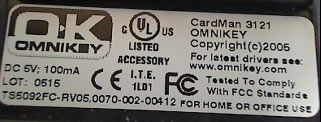
Athena ASE IIIe may work; units marked V2D reportedly do not work
Latest drivers for the reader come from Microsoft, Athena, or OmniKey.
Any purchase or use of an external card reader is at your own risk, as Concept2 no longer recommends or supports using third party card readers.